

When moving into a new position, it can be daunting to have the shadow of your predecessor listed as the name on the account. However Google, in the attempt to promote Google+, has convoluted the system. There are a number of places you must check to verify that your account is yours in all respects.
Make sure to check update your email signature as well!
Rename your Account
Change through Google
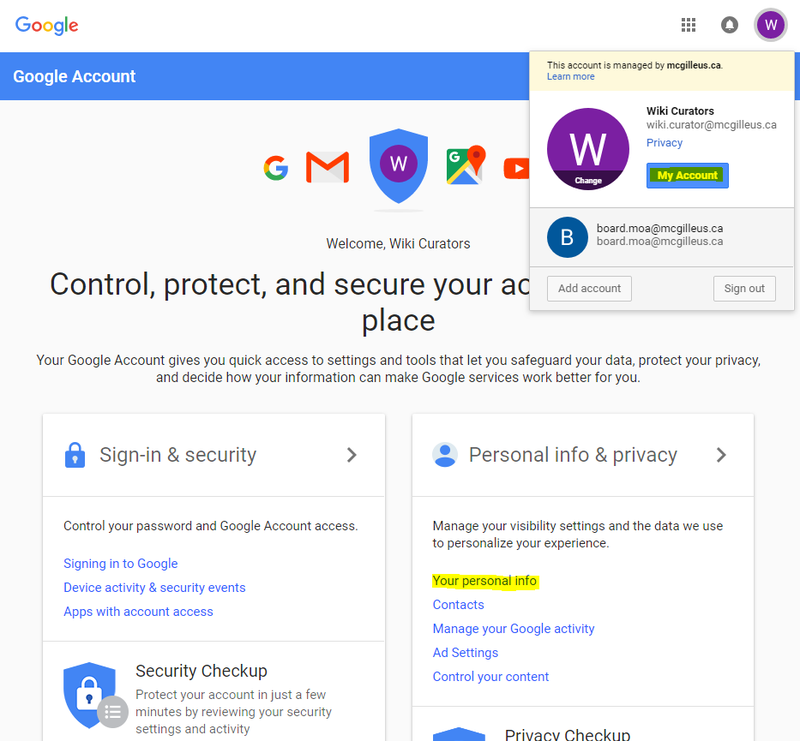
Navigate to your icon in any google app
> My Account > Your Personal Info > Name, and
change your name there.
You'll get a popup notification warning you that you can only change your name x3 times every x90 days. The administrator of our domain (IT Director and VP Communications) can assist changing your username if this limit is reached.
Change through Gmail
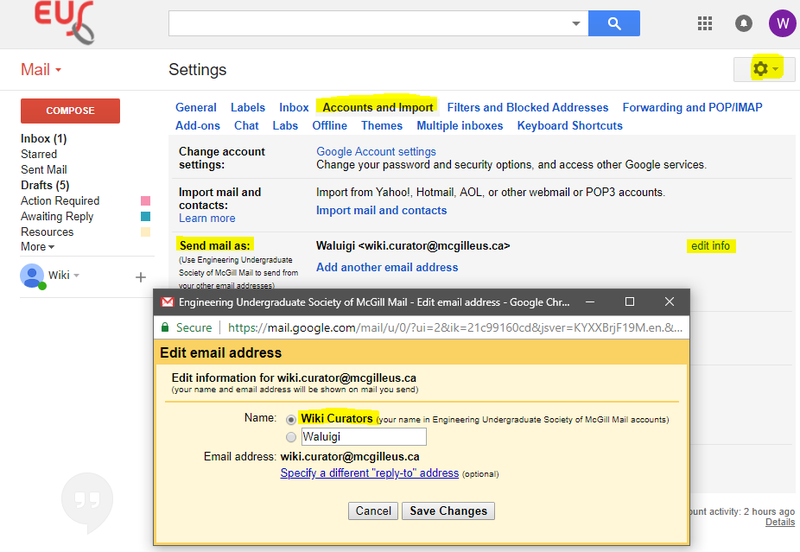
Gmail > Settings > Accounts and Import > Send mail as:
Here you will see the current name associated with outgoing email. If it's not the name associated with your account name, you can change it to automatically update, or change it to something entirely different (wahhhluigi).
Change on your Device
Like Gmail, any external email client (like Mailbird, Outlook, Apple Mail, Thunderbird, etc.) has the ability to change what your outgoing name reads as. If you added your new email account to your phone or 3rd party mail software before changing your account name, chances are your device automatically assumed the name associated with the account (e.g. your predecessor).
The general procedure to check this is
Settings > Accounts > Edit > Identity It may
differ depending on what app/software you're using. This
does not change your account name associated
with Google, simply the display name people receive when you send them
an email.
The Fickle Contact Cache
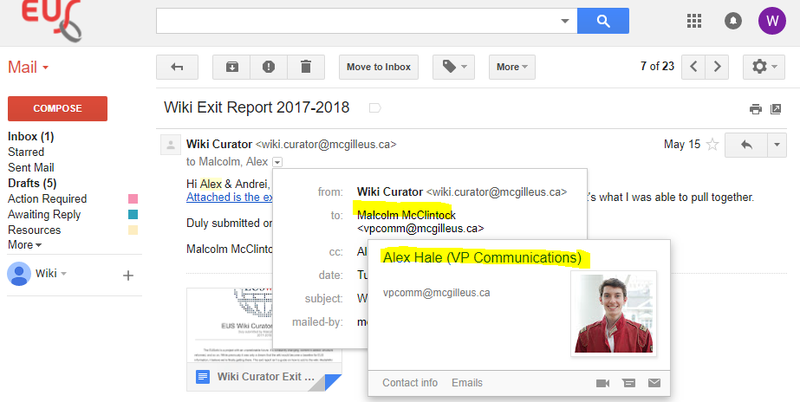
Unless the owner of the wiki.curator account navigates to http://contacts.google.com and deletes it, unfortunately it will persist. Since this is the case for all email accounts, there is some degree of futility. It's OK.